
Guide
Help & feature guide
Everything InterviewOS does and how to use it, in the order it appears in the sidebar. If you'd rather click through the app itself, open Help & tour from the sidebar for an interactive walkthrough.
Getting started
Create an account from Register, or sign in with Google, GitHub, or X. You'll need to verify your email before uploading resumes or using any AI feature — check your inbox for the verification link right after signup.
Once signed in, you land on the Overview dashboard. The sidebar on the left is how you reach every feature; each section below matches one sidebar entry, top to bottom. First time in, the Help & tour button at the bottom of the sidebar walks you through the whole layout interactively — this page is the same information in written form, to come back to any time.
For stronger account security, add authenticator 2FA and review your active sessions from Settings → Security.
Overview (dashboard)
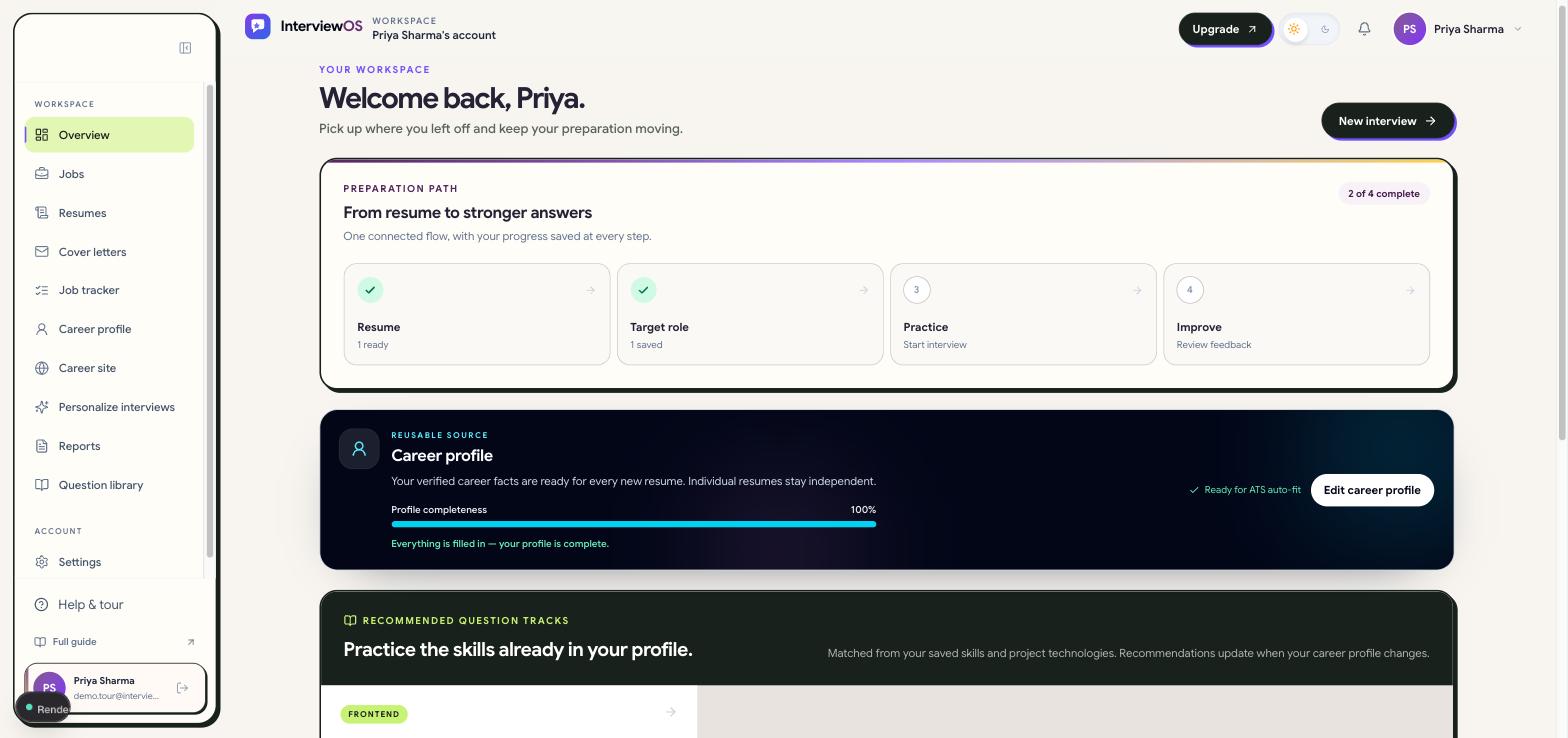
Your home base after signing in. It shows setup progress, personalized track recommendations based on your career profile's skills, recent interview activity, and the next best action to take. If you're not sure what to do next, start here.
Jobs
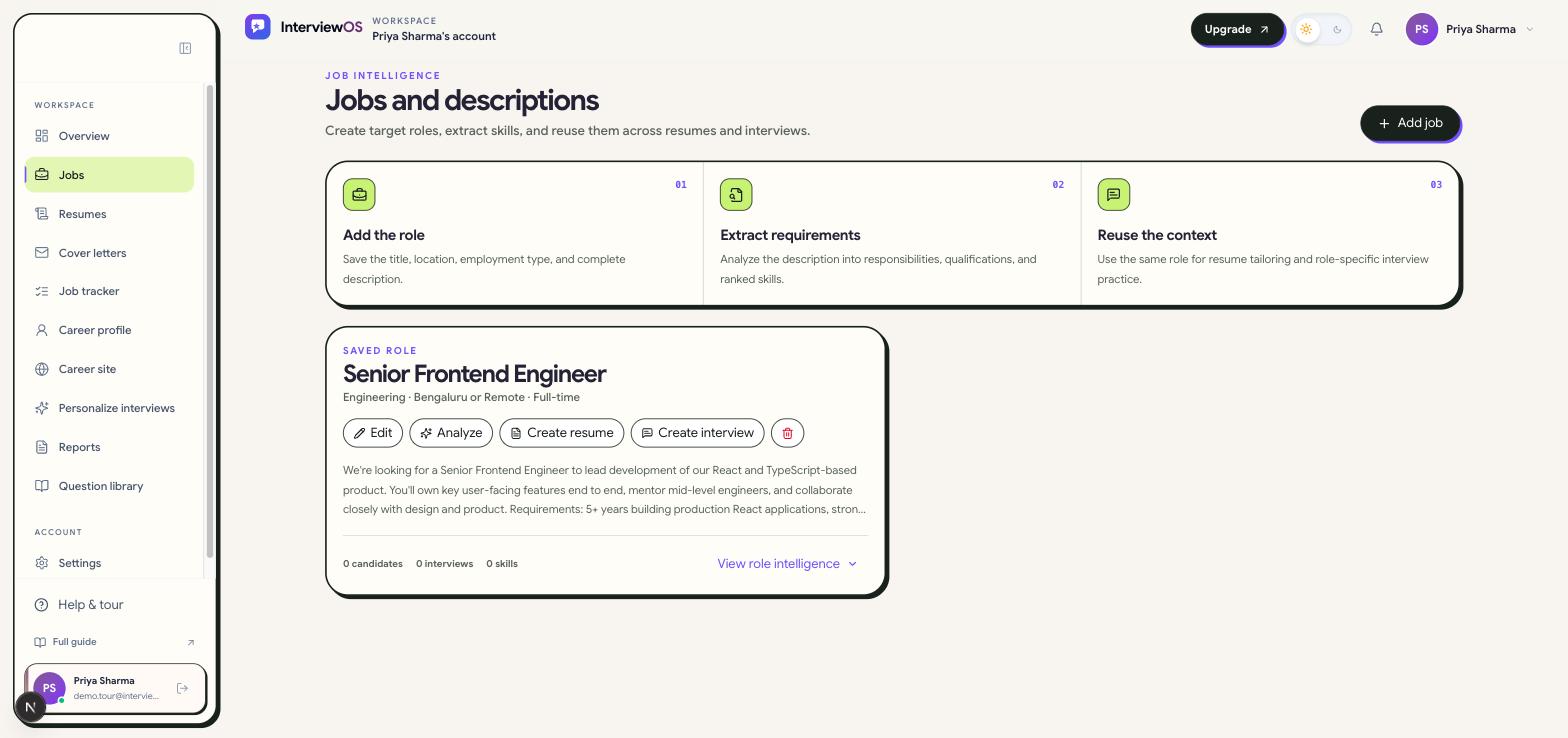
Add a job you're targeting by pasting its title, company, and description. InterviewOS extracts the responsibilities and required skills from the text so that context can be reused elsewhere.
A saved job is the input to three other features: resume tailoring, cover-letter generation, and interview creation — you pick a saved job when starting each of those, rather than re-typing the description.
Resumes
Create a resume three ways: build one from scratch, import an existing PDF/DOCX/TXT file, or start from your Career profile snapshot. You can also keep a browser-only private draft that never touches the server or AI — useful if you want to draft privately before saving.
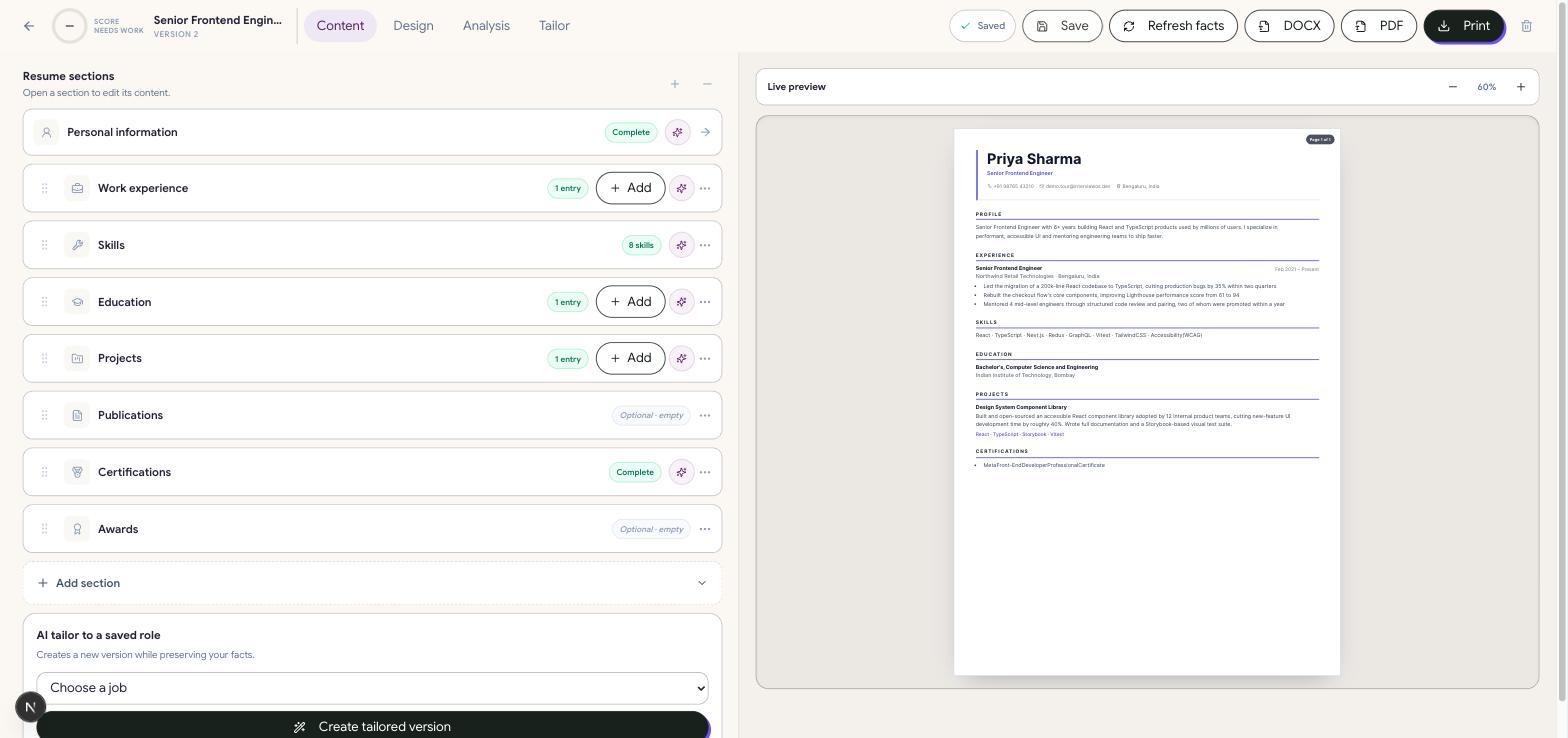
Each resume has structured sections (summary, experience, education, skills, projects, certifications, links) and 24 ATS-safe templates with live preview and customization. From a resume you can:
- Analyze — get an ATS-compatibility and skills-coverage score.
- Tailor to a job — pick a saved job; AI suggests changes using only what's already in your resume, shown for review before anything is applied.
- Export — download as a server-rendered PDF (exact match to the on-screen preview) or as DOCX.
- Version history — every save keeps a version, so you can compare or roll back.
Cover letters
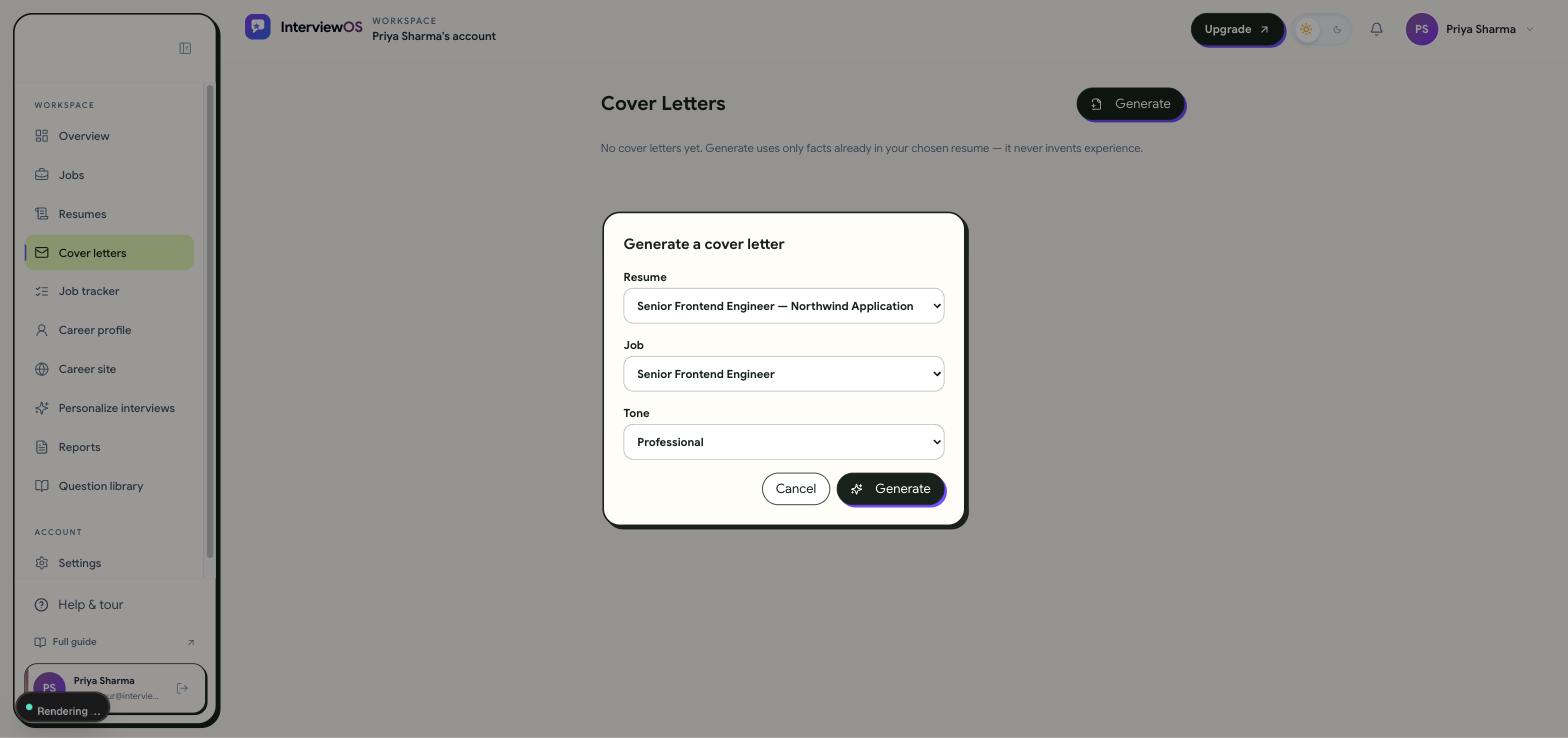
From Cover letters, pick a saved resume and a saved job and generate a draft. The AI writes only from facts already present in that resume — it will never invent an employer, role, date, or achievement — so add real detail to your resume first if a draft comes back thin. Every generated letter is fully editable and saved to your account; nothing is sent anywhere on your behalf.
Job tracker
Log each application you make outside InterviewOS — role, company, and an optional posting URL — and move it through stages: Saved, Applied, Interviewing, Offer, Rejected, or Withdrawn.
If an application form asks free-text questions ("Why do you want to work here?"), paste them into an entry and request drafted answers. AI drafts each answer from your career profile, grounded the same way cover letters are — for you to review, edit, and copy yourself. InterviewOS never submits an application or fills in a form on an external site automatically.
Career profile
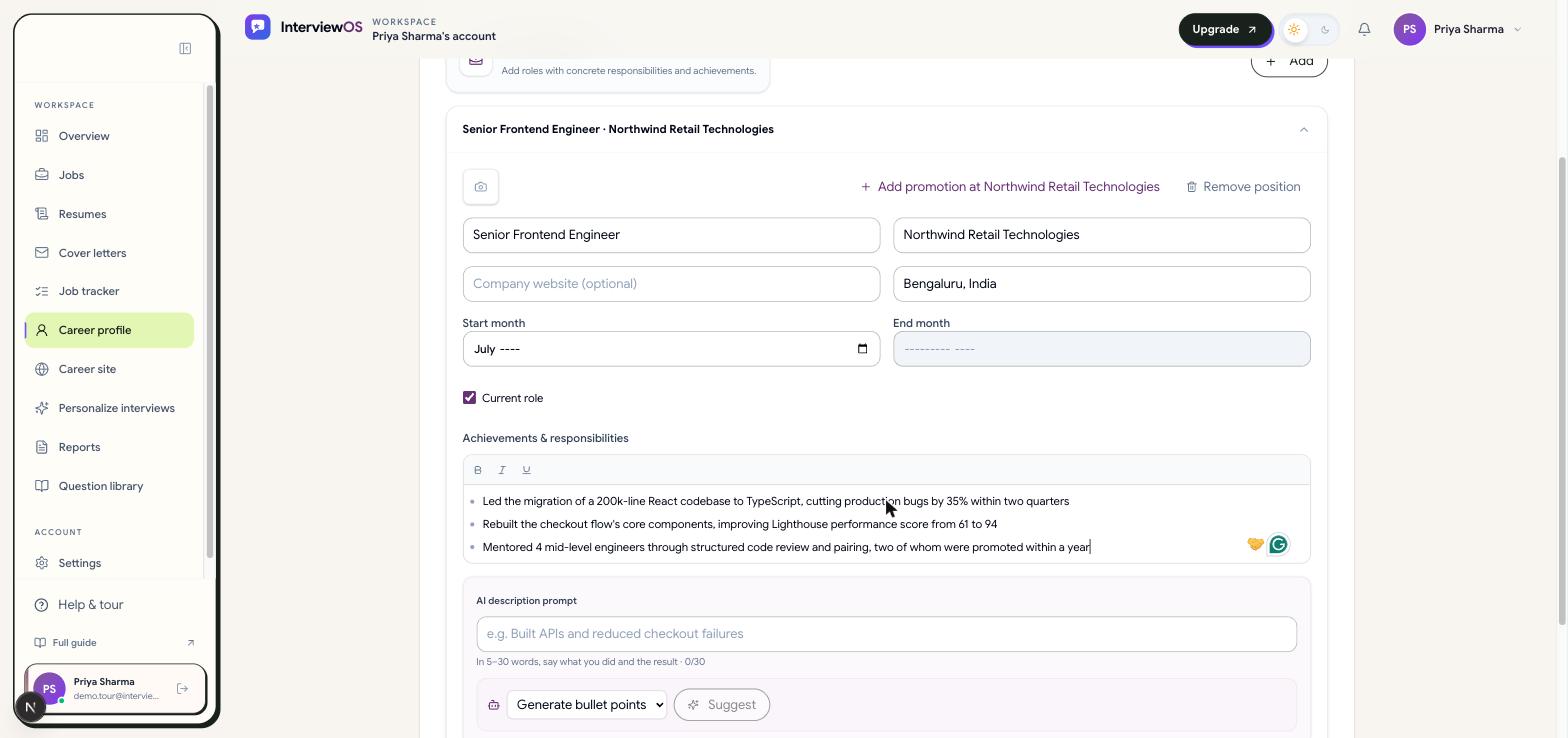
A private, reusable record of your real work history, education, projects, skills, and links — kept separate from any one resume. Fill it in once and every new resume can pull facts from it instead of starting blank, and it's also what cover letters and job-tracker answer drafts draw on. Add at least one specific achievement, project, or education entry with a few skills before using AI features that depend on it — they require enough real evidence to avoid guessing.
Career site
Publish a public, shareable page built from your career profile — pick a handle (URL slug) and a design theme. Only the fields you choose to include become public; your email and phone number are never shown regardless of theme. Useful as a portfolio link to include in applications or on your resume.
Interviews
Choose a saved job and resume to generate one experience-adaptive interview covering 10 focused skill/topic sections, with question counts and depth matched to entry, mid, or senior level (5, 7, or 10 questions per section), including required real-world scenario questions.
Answer each question as text — or record your answer and InterviewOS transcribes it for you (server-side, more accurate than typical browser dictation) into an editable transcript plus basic pace/duration/filler-word stats. Recorded audio is sent only for transcription and is discarded immediately; InterviewOS never stores it or assesses your voice, accent, or tone. The AI may ask up to three follow-ups per question. When you finish, the interview is scored and generates a consolidated report.
Reports
Every completed interview produces a report: your score, strengths, gaps, per-answer feedback, and recommended next steps. Use it to decide what to practice next — the Question library is the natural next stop for a weak topic.
Question library
A curated bank of technical and behavioral questions organized into Basic, Intermediate, Advanced, and Scenario sections by track (e.g. frontend, backend, system design). Browse and read sample answers before or between full adaptive interviews — no AI generation involved, this is fixed, reviewed content.
Settings
Everything about your account lives under Settings, split into tabs:
- Profile — name, avatar, and personal details.
- Appearance — light/dark theme.
- Security — verified email, password or connected OAuth login, authenticator 2FA, and a list of your active sessions (signing in anywhere new revokes the previous session automatically).
- Billing — your current plan, monthly usage against plan limits, invoices, and available promotions.
- Privacy — export your data or request account deletion.
Plans and usage limits
Free, Pro, and Elite plans each carry their own monthly limits — interviews, resume analyses, tailored resumes, and AI-drafted cover letters/answers all reset every calendar month. Settings → Billing shows exactly how much of each you've used. Paid plans are billed through Razorpay; upgrading, downgrading, and invoices are all managed from that same tab. See Pricing for what each plan includes.
Frequently asked
Will the AI make up experience I don't have?
Every AI action — resume tailoring, cover letters, job-tracker answer drafts — is instructed to use only facts already present in your resume or career profile, and to omit a detail entirely rather than invent one.
Does InterviewOS submit job applications for me?
No — this is a practice and preparation tool, not a job board. Application answers are drafted for you to copy and paste yourself; nothing is ever submitted to an external site automatically.
What does recording an interview answer actually capture?
Your recorded answer is sent once for server-side transcription and immediately discarded — InterviewOS keeps only the resulting text transcript and basic pace/duration/filler-word stats. Pronunciation, accent, and tone are never assessed.
What's the difference between a saved resume and a browser-only draft?
A local, browser-only draft (IndexedDB) never touches InterviewOS's servers or any AI provider — it's for private drafting before you decide to save a resume to your account.
How is my data handled?
See the full Privacy Policy for what's collected and retained, and use Settings → Privacy to export or delete your data at any time.